Logo
Submit a request
  1. Gottman Help Center
  2. Professional Training and Resources
  3. Gottman Referral Network

Articles in this section

  • How do I add "Online Therapy" as a service on my GRN profile?
  • How do I apply to be a on the Gottman Referral Network?
  • How do I cancel my subscription?
  • How do I update my credit card information on the GRN (Gottman Referral Network)?
  • How do I update the level of training advertised on my GRN profile?
  • I would like to add a second location to my GRN account profile.
  • What are membership fees associated with the Gottman Referral Network?
  • What are the requirements to join the Gottman Referral Network?

How do I update the level of training advertised on my GRN profile?

When a clinician completes a higher level of training, you're able to update your GRN accounts.

  1. Login to the Gottman Referral Network
  2. Click "My profile"
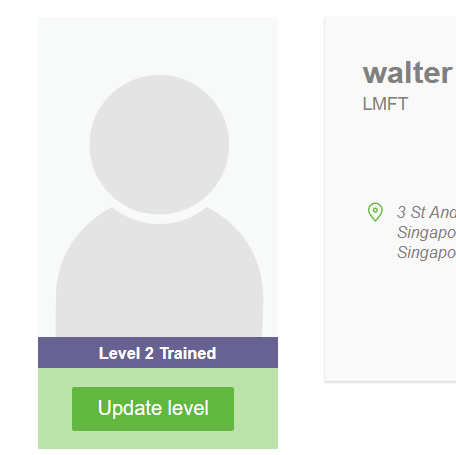
  3. Hover under your photo
  4. A link to update your level of training will appear
mceclip0.png


Have more questions? Submit a request
Return to top

Related articles

  • What terminology can I use for myself after I complete a training?
  • How do I apply to be a on the Gottman Referral Network?
The Gottman Institute